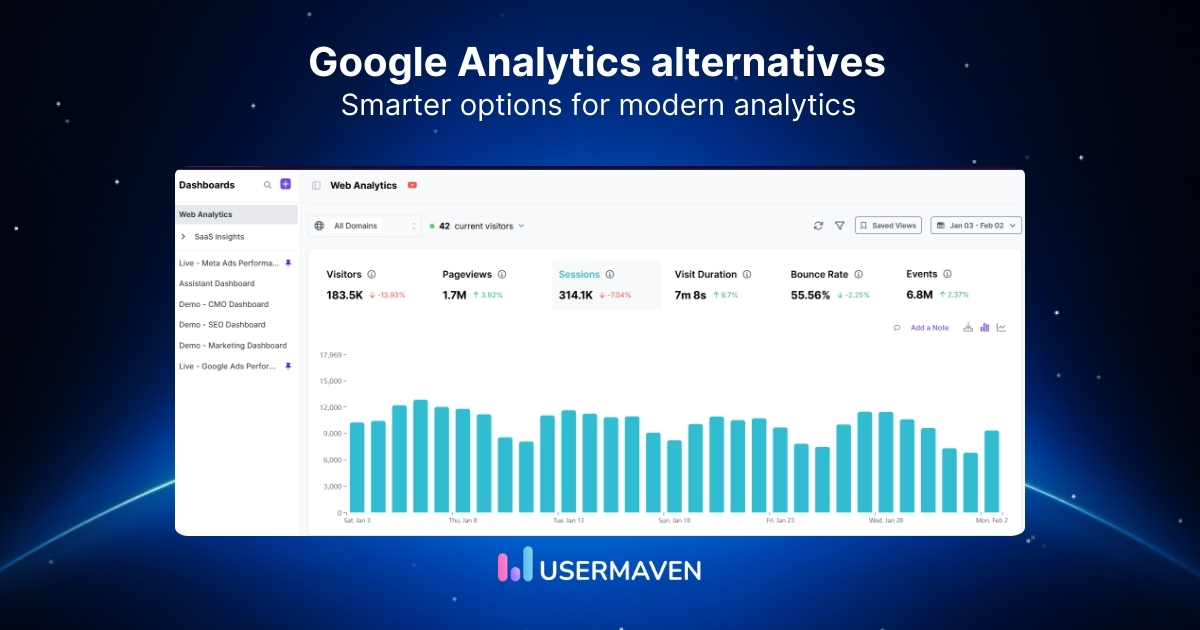
Since GA4 replaced Universal Analytics, one question keeps coming up: Is GA4 really the only option?
For many marketers, product teams, and agencies, the answer is “NO”. Confusing reports, limited customization, delayed data, and growing privacy concerns have made teams actively look for Google Analytics alternatives that feel more usable and reliable.
This article compares the leading GA4 alternatives, explains when GA4 still makes sense, and helps you decide which analytics tool fits your workflow. So, stay with us as we break down the options that actually work in real-world use.
Why modern marketers look for GA4 alternatives
Google Analytics 4 has made everyday analytics harder than it needs to be. Instead of helping marketers move faster, it often adds friction through complex setups, unclear reports, delayed data, and constant second-guessing.
Below are the most common GA4 limitations that push teams to move beyond GA4 and choose analytics tools that are easier to use and trust.
GA4 is difficult to set up and use
GA4 relies on an event-based data model that requires careful configuration to work correctly. For non-technical users, this often means:
- A steep learning curve
- Dependence on developers for event setup
- Confusing reports that are hard to interpret
As a result, many teams struggle to access clear insights without spending significant time learning the tool.
Data accuracy is affected by cookies and ad blockers
GA4 primarily relies on cookies and browser-based tracking. When users block cookies or use ad blockers, parts of website traffic can go untracked. This can lead to:
- Underreported traffic and conversions
- Incomplete user journeys
- Less reliable campaign performance data
For teams that rely on accurate attribution and reporting, these gaps can create serious blind spots.
Privacy and compliance limitations
Data privacy regulations like GDPR and CCPA have changed how analytics tools are evaluated. While GA4 offers privacy controls, some businesses need:
- Cookieless tracking options
- Greater control over data retention
- Clearer data ownership and storage policies
These requirements often push privacy-focused teams to consider alternative analytics platforms.
Limited flexibility for marketers and growth teams
GA4 works within a predefined structure that can feel restrictive. Common limitations include:
- Limited customization for reports and dashboards
- Extra steps to track meaningful conversions
- Difficulty answering practical marketing questions quickly
This makes GA4 harder to adapt to fast-moving growth and experimentation workflows.
Not truly real-time insights
GA4 data is often delayed by hours or even days. For teams that need to:
- Monitor campaigns in real time
- React quickly to traffic spikes or drops
- Track live user behavior
Delayed reporting can slow response times and reduce agility.
When GA4 still makes sense
GA4 isn’t the wrong choice for everyone. It can work well if:
- You’re already deeply integrated into Google’s ecosystem
- You have technical resources to manage setup and configuration
- You don’t need real-time or advanced attribution insights
For teams outside these scenarios, exploring Google Analytics alternatives can lead to clearer, more actionable analytics.
Top 10 GA4 alternatives in 2026
Here’s a quick comparison of GA4 and popular Google Analytics alternatives, based on ease of use, privacy, and core analytics capabilities.
| Feature / Capability | GA4 | Usermaven | Heap | Piwik PRO | Mixpanel | Plausible |
| Easy setup & usability | ❌ Complex | ✅ Simple | ❌ Complex | ❌ Moderate | ❌ Complex | ✅ Simple |
| Real-time insights | ❌ Delayed | ✅ Yes | ❌ Limited | ❌ Limited | ❌ Limited | ✅ Yes |
| Automatic event tracking | ❌ Manual setup | ✅ Yes | ✅ Yes | ❌ Partial | ❌ Manual | ❌ No |
| Funnels & user journeys | ❌ Limited | ✅ Yes | ✅ Yes | ✅ Yes | ✅ Yes | ❌ No |
| Marketing attribution | ❌ Basic | ✅ Advanced | ❌ No | ✅ Partial | ❌ No | ❌ No |
| Privacy-friendly (GDPR-ready) | ⚠️ Partial | ✅ Yes | ⚠️ Partial | ✅ Strong | ⚠️ Partial | ✅ Strong |
| Cookieless tracking option | ❌ No | ✅ Yes | ❌ No | ⚠️ Partial | ❌ No | ✅ Yes |
| Best suited for | Technical teams | Marketers & SaaS | Product teams | Enterprises | Product teams | Simple websites |
GA4 alternatives vary widely in what they’re built for. Let’s take a closer look at these top Google Analytics alternatives one by one.
1. Usermaven (The best GA4 alternative)
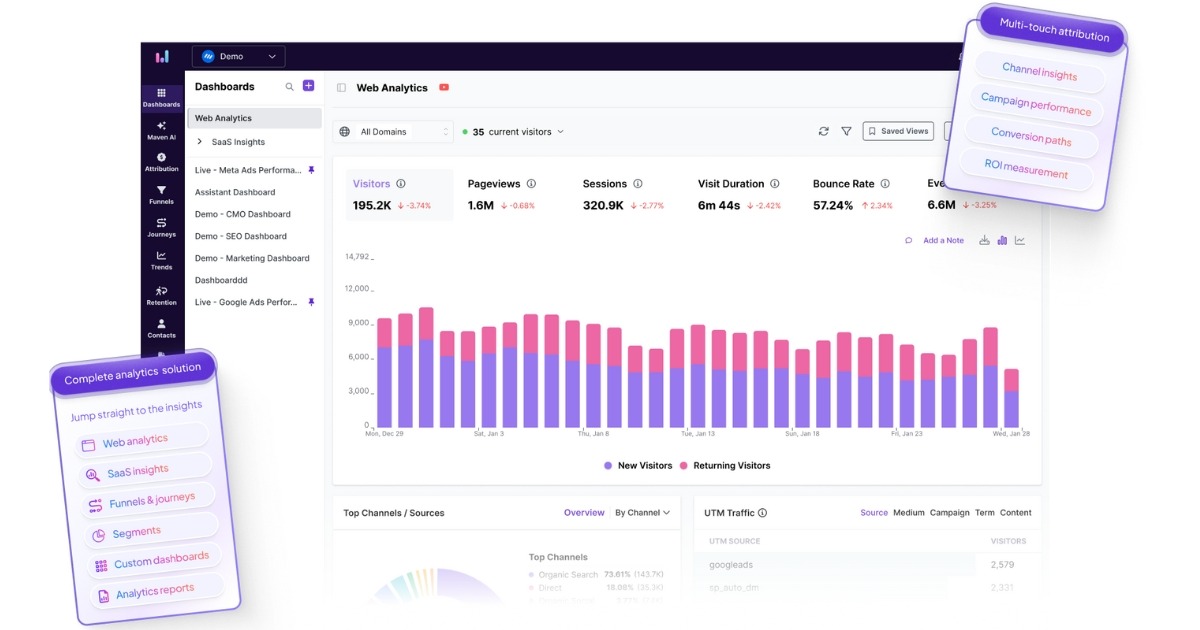
Usermaven is a modern Google Analytics alternative built for teams that want accurate data, clear reporting, and full visibility into how users convert, without the complexity of GA4. It combines web analytics, product analytics, and marketing attribution software in a single platform.
Best for:
Marketers, SaaS teams, agencies, and businesses looking for a usable GA4 alternative with real-time insights, privacy-friendly tracking, and built-in attribution.
Key features
Usermaven focuses on removing analytics friction. Instead of overwhelming users with raw data and complex configurations, it provides clear, actionable analytics insights that teams can use immediately.
Auto event tracking (no-code)
Usermaven automatically captures key user interactions such as page views, clicks, form submissions, and conversions. This removes the need for manual event setup and reduces reliance on developers, a common challenge with GA4.
Simple setup and modern UI
Getting started with Usermaven is straightforward. The platform offers:
- Fast installation
- Intuitive navigation
- Clean dashboards built for non-technical users
Compared to many Google Analytics competitors, Usermaven is easier to adopt and use day-to-day.
Multi-touch marketing attribution
Usermaven includes seven attribution models, including First Touch, Last Touch, Linear, U-Shaped, Time Decay, First Touch Non-Direct, and Last Touch Non-Direct.
With customizable lookback attribution windows ranging from 30 to 180 days and flexible channel mapping, teams gain a clearer view of how marketing channels contribute to conversions. This level of attribution is limited in GA4 and often requires additional tools.
Funnel analysis
Built-in funnel tracking allows teams to analyze every step of the conversion process. With Usermaven Funnels, you can quickly see where users drop off and optimize key flows without building complex custom reports.
Visual customer journeys
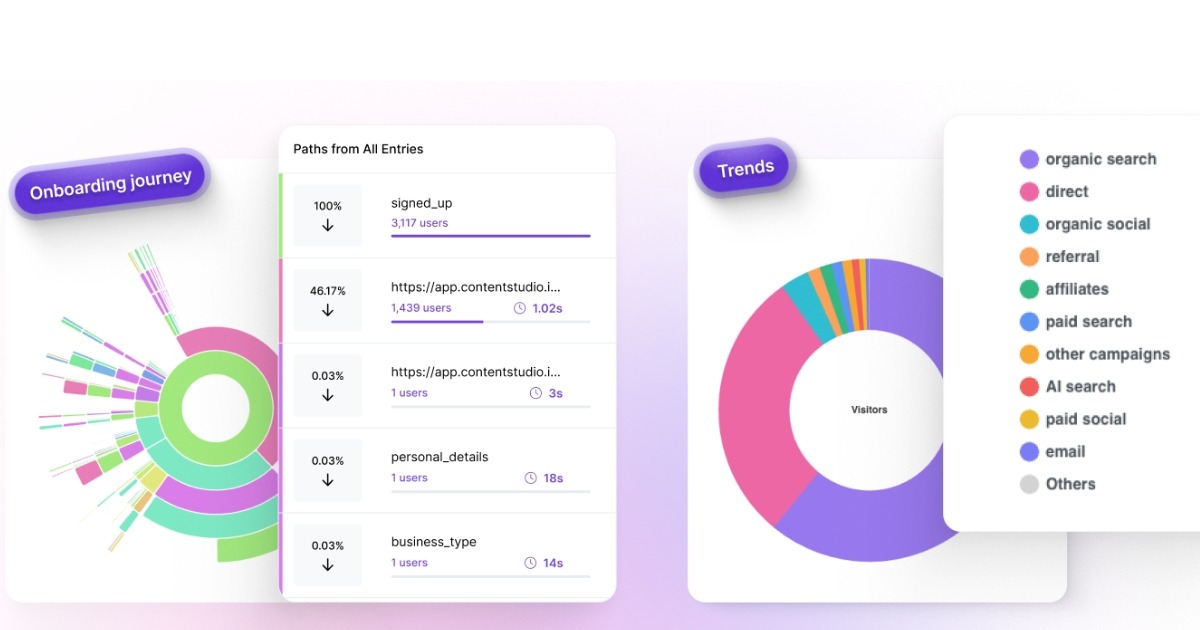
Usermaven provides clear visual maps of customers’ journeys, showing how users move across your website or product. These journeys help teams identify drop-off points, understand navigation patterns, and spot opportunities to improve conversions.
Advanced segmentation
Usermaven supports powerful user segmentation based on:
- User behavior and events
- Acquisition channels
- Custom properties
This makes it easier to analyze specific audiences and understand what drives meaningful actions.
Real-time and accurate analytics
Usermaven provides true real-time analytics, allowing teams to monitor traffic, campaigns, and user behavior as it happens.
To improve data accuracy, Usermaven also supports ad blocker resistant tracking using pixel white labeling and custom domains.
Privacy-first and cookieless tracking
Usermaven supports privacy-friendly data collection, including cookieless tracking options, GDPR and CCPA compliance, and full data ownership. This makes it a strong choice for privacy-conscious businesses looking for alternatives to Google Analytics.
Product analytics for SaaS teams
In addition to website analytics, Usermaven tracks in-app behavior such as feature adoption, engagement, retention, and onboarding performance without requiring complex developer involvement.
AI-powered insights
Usermaven includes built-in AI features that help teams understand their data faster. These include an AI assistant, AI-driven funnel insights, suggested funnels, journey analysis, and AI-powered attribution insights.
Pricing
Usermaven offers a 14-day free trial on all plans.
- Growth: $84 per month
Up to 250,000 events, 3 users, 3 workspaces, and 5 years of data history. - Scale: $199 per month
Unlimited users, 5 workspaces, 7 years of data history, advanced attribution, ad network integrations, and Maven AI. - Enterprise: Custom pricing
Unlimited users, unlimited data history, private cloud or on-premise setup, and advanced security.
Usermaven also provides guided implementation services, making GA4 migration and setup easier and faster.
Why it stands out
Usermaven offers a rare balance of usability, accurate real-time data, strong attribution, and privacy-first analytics, making it one of the most complete GA4 alternatives available.
The easiest GA4 alternative for marketers and product teams
*No credit card required
2. Heap
Heap is a product analytics platform known for automatically capturing user interactions. It is often considered by teams looking for GA4 alternatives that focus on understanding how users behave inside digital products.
Best for
Product and growth teams that want automatic event capture and detailed behavioral insights, especially for web and app products.
Key features
- Automatic event capture: Heap records user interactions by default, reducing the need for manual event setup.
- Funnels and user paths: Analyze how users move through key flows and identify drop-off points.
- Behavior-based segmentation: Segment users based on actions, properties, and engagement patterns.
- Retroactive analysis: Define events after data has already been collected.
Pricing
Heap offers a limited free plan. Paid plans are usage-based and priced according to the number of sessions tracked per month. Pricing increases quickly for high-traffic websites and growing products, and exact costs are provided on request.
Limitations to consider
While Heap is a strong product analytics tool, it may not be the best Google Analytics alternative for every use case:
- Limited marketing attribution capabilities
- Not designed as a privacy-first analytics platform
- Can become expensive at scale
- Better suited for product teams than marketing-led workflows
Bottom line
Heap is a solid option if your primary goal is product behavior analysis. Teams looking for a simpler GA4 replacement with built-in attribution, privacy controls, and real-time insights may find it limiting.
If Heap doesn’t fit your requirements, consider exploring the best Heap alternative here.
3. Matomo
Matomo is a well-known Google Analytics alternative focused on privacy, data ownership, and compliance. It is often chosen by organizations that want full control over where their analytics data is stored and how it is handled.
Best for
Privacy-focused businesses, enterprises, and organizations that require data ownership, EU hosting, or on-premise analytics setups.
Key features
- Privacy-first analytics: Full data ownership with GDPR-compliant tracking.
- Flexible hosting options: Cloud-hosted in Europe or fully self-hosted on your own infrastructure.
- Core web analytics: Track visits, page views, referrers, devices, and campaigns.
- User behavior insights: Heatmaps, session recordings, and goal tracking.
- Segmentation and reporting: Create custom segments and reports for deeper analysis.
Pricing
Matomo’s cloud pricing is based on monthly traffic volume.
- Business plan:
Starts at €22 per month for up to 50,000 hits per month (excluding tax).
Additional traffic is billed incrementally, for example, 5,000 extra hits for €2.20. - Enterprise plan:
Custom pricing based on traffic volume, hosting needs, and compliance requirements.
Includes advanced allowances and tailored setups.
Matomo also offers an on-premise option, where the software itself is free, but hosting, maintenance, and infrastructure costs are handled by your team.
Limitations to consider
While Matomo is a strong privacy-focused GA4 alternative, it may not be ideal for every team:
- Interface can feel dated compared to modern analytics tools
- Self-hosting requires technical expertise and ongoing maintenance
- Limited built-in attribution and product analytics features
- Not optimized for fast, real-time marketing decisions
Bottom line
Matomo is a solid choice if privacy, compliance, and data ownership are your top priorities. Teams looking for a more intuitive GA4 replacement with real-time insights, attribution, and minimal setup may find it less practical.
If Matomo doesn’t fully meet your needs, it may be worth looking at the best Matomo alternative.
4. Clicky

Clicky is a lightweight Google Analytics alternative known for its real-time reporting and simple interface. It is often used by small websites that want immediate visibility into visitor activity without a complex setup.
Best for
Small websites, blogs, and teams that want basic, real-time analytics with minimal configuration.
Key features
- Real-time analytics: View visitors, page views, and actions as they happen.
- Individual visitor tracking: See how individual users navigate your site.
- Heatmaps and session views: Visualize clicks and engagement on supported plans.
- Simple setup: Easy to install and quick to get started.
- Uptime monitoring: Included in higher-tier plans.
Pricing
Clicky offers a free plan and several paid tiers based on the number of websites and daily page views.
- Free: 1 website with up to 3,000 daily page views
- Pro: $9.99/month, up to 10 websites and 30,000 daily page views
- Pro Plus: $14.99/month, includes heatmaps and uptime monitoring
- Pro Platinum: $19.99/month, up to 30 websites and 100,000 daily page views
- Custom: Pricing varies for large setups, supporting up to 1,000 websites and 20M daily page views
Discounted annual plans are also available.
Limitations to consider
Clicky works well for basic analytics, but it has notable limitations as a GA4 alternative:
- No advanced funnels or user journey analysis
- No marketing attribution features
- Limited segmentation and reporting depth
- Not designed for SaaS or product analytics
Bottom line
Clicky is a good fit if you want a simple, real-time analytics tool for a small website. Teams looking for a full Google Analytics alternative with attribution, funnels, and deeper insights will likely need a more advanced solution.
5. Piwik Pro
Piwik PRO is an enterprise-focused Google Analytics alternative built for organizations that need strong privacy controls, data ownership, and compliance-ready analytics. It is commonly used by regulated industries and large teams with strict governance requirements.
Best for
Enterprises, public-sector organizations, and data-sensitive businesses that require advanced security, compliance, and flexible hosting options.
Key features
- Privacy-first analytics: Designed for GDPR, HIPAA, and other regulatory requirements.
- Modular platform: Includes Analytics, Tag Manager, Data Activation, and a Consent Management Platform.
- Flexible hosting: EU-based cloud, private cloud, or on-premise deployments.
- Advanced data control: Custom data retention, access management, and audit-ready reporting.
- Dedicated support: Enterprise-grade onboarding and implementation assistance.
Pricing
Piwik PRO pricing is based on usage, hosting requirements, and support level.
- Business plan:
Starts at €35 per month, designed for privacy-compliant analytics with limited monthly actions and EU-hosted cloud infrastructure. - Enterprise plans:
Start from €366 per month (billed annually) and scale based on monthly actions, data retention needs, hosting preferences, and compliance requirements.
Custom pricing is available for organizations with advanced security, private cloud, or on-premise needs.
Limitations to consider
Piwik PRO is powerful, but it may not be the best GA4 alternative for every team:
- Higher cost compared to lightweight analytics tools
- More complex setup than marketer-focused platforms
- Limited built-in marketing attribution compared to growth-oriented tools
Bottom line
Piwik PRO is a strong choice for enterprises that prioritize privacy, compliance, and data control. Teams looking for a simpler GA4 replacement with built-in attribution and faster insights may find it heavier than necessary.
If Piwik PRO isn’t the right fit for your needs, consider exploring the Piwik PRO alternative.
6. Fathom Analytics

Fathom Analytics is a privacy-focused Google Analytics alternative designed for teams that want simple, compliant website analytics without cookies or complex setup. It is often chosen by businesses that value clarity and data ownership over advanced analysis.
Best for
Privacy-first teams, content websites, and businesses that want a lightweight GA4 alternative with minimal configuration.
Key features
- Cookieless tracking: No cookies or consent banners required.
- Privacy compliance: Built for GDPR and global privacy regulations.
- Simple setup: Easy integration with most CMS platforms.
- Core web analytics: Track page views, referrers, devices, and events.
- Unlimited data exports: Access and export your data without restrictions.
Pricing
Fathom pricing starts at $15 per month for up to 100,000 pageviews.
Plans scale based on usage, with pricing reaching up to $470 per month for high-traffic websites. Custom pricing is available for very large sites.
Limitations to consider
As a GA4 alternative, Fathom keeps things intentionally simple:
- No advanced funnels or user journey analysis
- No marketing attribution features
- Limited product and SaaS analytics capabilities
Bottom line
Fathom Analytics is a strong choice if privacy and simplicity are your top priorities. Teams that need deeper insights, attribution, or product analytics may require a more advanced Google Analytics alternative.
If you’re looking beyond Fathom Analytics, try the Fathom Analytics alternative here.
7. Mixpanel

Mixpanel is a well-known product analytics platform focused on tracking user behavior inside web and mobile applications. It is often evaluated as a GA4 alternative by product teams that want deeper insights into user engagement and retention.
Best for
Product and growth teams that need detailed behavioral analysis, cohorts, and retention metrics for apps and SaaS products.
Key features
- Event-based product analytics: Track user actions, flows, and feature usage.
- Funnels and retention analysis: Understand how users convert and where they drop off.
- Cohort analysis: Group users based on behavior and engagement patterns.
- Session replay and reports: Analyze user behavior over time with saved reports.
Pricing
Mixpanel offers a free plan with limited usage. Paid pricing is event-based and scales with the number of events tracked.
- Free plan: Available with capped monthly events
- Growth plan: Starts at $0 for up to 1 million monthly events, then charges per additional events
- Enterprise: Custom pricing with advanced security, governance, and support
At higher event volumes, pricing can increase significantly and is calculated through an interactive pricing slider, which makes exact costs difficult to estimate upfront.
Limitations to consider
As a Google Analytics alternative, Mixpanel has some trade-offs:
- Pricing lacks transparency and becomes difficult to predict at scale
- Not designed for privacy-first or cookieless tracking
- Limited marketing attribution capabilities
- Better suited for product analytics than website analytics
Bottom line
Mixpanel is a strong product analytics tool for teams focused on user engagement and retention. However, businesses looking for a simpler GA4 replacement with predictable pricing, attribution, and privacy-friendly tracking may find it less practical.
Looking for something simpler than Mixpanel? Choose a Mixpanel alternative that fits your workflow.
8. Plausible

Plausible is a lightweight, privacy-focused Google Analytics alternative built for teams that want simple website analytics without cookies, trackers, or complex configuration. It is often chosen by businesses that value transparency, speed, and ease of use.
Best for
Content websites, startups, and privacy-conscious teams looking for a simple GA4 alternative with clear reporting.
Key features
- Privacy-first analytics: No cookies, no personal data, and GDPR compliant by default.
- Simple dashboard: Clean, easy-to-understand metrics without clutter.
- Goals and custom events: Track key actions without complex setup.
- Team access and shared dashboards: Built for collaboration.
- Google Analytics import: Import historical GA data if needed.
Pricing
Plausible pricing is based on monthly pageviews and includes a 30-day free trial.
- Starter: $9 per month for up to 10k monthly pageviews
- Growth: $14 per month for up to 100k monthly pageviews
- Business: $19 per month for higher limits and advanced features
- Enterprise: Custom pricing for large websites and teams
Annual plans are available with discounted pricing.
Limitations to consider
As a GA4 alternative, Plausible keeps things intentionally minimal:
- No user journey or funnel visualization
- No marketing attribution features
- Limited product and SaaS analytics capabilities
Bottom line
Plausible is a strong choice if you want a privacy-friendly and easy-to-use alternative to Google Analytics. Teams that need deeper insights, attribution, or product analytics will likely need a more advanced solution.
If Plausible doesn’t quite fit your needs, it may be time to explore a Plausible alternative.
9. Simple Analytics

Simple Analytics is a privacy-focused Google Analytics alternative designed for teams that want straightforward website analytics without cookies, tracking complexity, or intrusive data collection. It emphasizes simplicity and transparency over advanced analysis.
Best for
Privacy-conscious businesses, small teams, and website owners who want clean, easy-to-read analytics with minimal setup.
Key features
- Privacy-first tracking: No cookies, no personal data, and GDPR compliant by default.
- Simple dashboards: Clear metrics focused on pageviews, referrers, and events.
- Event tracking: Track key actions without complex configuration.
- Ad blocker bypass: Improved data accuracy compared to traditional cookie-based tools.
- API and exports: Access and export your analytics data when needed.
Pricing
Simple Analytics pricing is based on expected monthly pageviews.
- Free: For hobby projects with limited data history
- Simple: Starts at €60 per month
- Team: Starts at €120 per month for teams needing collaboration and advanced access controls
- Enterprise: Custom pricing for large organizations and higher data limits
Annual billing options are available with discounted pricing.
Limitations to consider
As a GA4 alternative, Simple Analytics is intentionally minimal:
- No advanced funnels or user journey visualizations
- No marketing attribution features
- Limited product and SaaS analytics capabilities
Bottom line
Simple Analytics is a good fit if privacy and simplicity are your top priorities. Teams that need deeper behavioral insights, attribution, or conversion analysis will likely require a more feature-rich Google Analytics alternative.
10. Pirsch

Pirsch is a lightweight, privacy-focused Google Analytics alternative designed for developers and teams that want simple, fast analytics with full data ownership. It emphasizes performance, transparency, and privacy over advanced marketing or product analytics.
Best for
Developers, technical teams, and privacy-conscious websites that need basic analytics with flexible deployment options.
Key features
- Privacy-first analytics: GDPR compliant with full data ownership.
- Cookieless tracking: No cookies or personal data required.
- Lightweight script: Minimal impact on website performance.
- Event and conversion tracking: Track key actions and goals.
- Flexible deployment: Cloud-hosted, managed cloud, or on-premise options.
Pricing
Pirsch pricing is based on monthly pageviews.
- Standard: Starts at $159 per month
- Plus: Starts at $479 per month and includes funnels, segmentation, white labeling, and priority support
- Enterprise: Custom pricing for managed cloud, on-premise installations, and advanced security needs
Unlimited data retention is included across plans.
Limitations to consider
As a GA4 alternative, Pirsch has some trade-offs:
- Limited marketing attribution features
- No advanced product analytics
- Better suited for technical users than marketers
Bottom line
Pirsch is a solid choice for teams that prioritize privacy, performance, and data ownership. Businesses looking for a more marketer-friendly GA4 replacement with attribution and funnels may need a different Google Analytics alternative.
How to choose the right Google Analytics alternative
Not all Google Analytics alternatives are built for the same use cases. Some focus on privacy, others on product analytics, and some on marketing attribution. Choosing the right GA4 alternative depends on what you actually need from your analytics day to day.
Use the framework below to narrow your options quickly.
If you’re a marketer or growth team
Marketing teams typically need analytics that answer practical questions fast:
- Where are sign-ups and conversions really coming from?
- Which channels influence conversions across the funnel?
- What content or campaigns drive meaningful actions?
Look for GA4 alternatives that offer:
- Built-in attribution models
- Funnel and conversion tracking
- Clear, customizable dashboards
- Real-time or near real-time data
Tools designed for marketers reduce the need for complex event setups and make campaign optimization easier.
If you’re a SaaS or product-led team
Product teams need to understand how users interact with features over time, not just page views.
A strong GA4 alternative for SaaS should support:
- User journeys across sessions
- Feature adoption and engagement tracking
- Retention and cohort analysis
- Onboarding and activation insights
This helps teams improve product experience, reduce churn, and optimize onboarding without stitching together multiple tools.
If privacy and compliance are a priority
For privacy-first businesses, GA4 may not offer enough flexibility. If compliance is a top concern, prioritize tools that provide:
- Cookieless or consent-free tracking options
- Clear data ownership and retention controls
- EU data hosting or self-hosting options
- Minimal or no personal data collection
Many GA4 alternatives are built specifically to meet modern privacy standards without sacrificing essential insights.
To explore this topic further, learn how privacy friendly analytics tools handle data collection without relying on invasive tracking methods.
If you’re an agency or consultant
Agencies need analytics that scale across clients without increasing complexity.
Key features to look for include:
- Multiple workspaces or properties
- Client-friendly reporting and dashboards
- Easy setup without developer dependency
- Reliable data accuracy across accounts
An agency-friendly reporting tool saves time, reduces onboarding friction, and improves reporting consistency.
If you’re an enterprise or large organization
Enterprises often have analytics requirements that go beyond basic reporting. While GA4 can work at scale, many large organizations look for GA4 alternatives that offer greater control, flexibility, and support.
Enterprise teams should prioritize:
- Advanced data governance and access controls
- Flexible data retention policies
- On-premise or private cloud hosting options
- Dedicated support and SLAs
- The ability to scale without sampling or hidden limitations
For regulated industries or global teams, these capabilities are often essential, not optional.
If you want something like GA4 but actually usable
Many teams don’t need more data; they need clearer data. If GA4 feels overwhelming, focus on tools that emphasize:
- Simple setup with automatic event tracking
- Intuitive navigation and reporting
- Actionable insights instead of raw metrics
Usability often makes a bigger difference than feature count when it comes to long-term adoption.
Time to move beyond GA4!
Choosing the right Google Analytics alternative comes down to what you value most. Some teams prioritize privacy and simplicity; others need deeper product insights or reliable attribution. GA4 can work in certain cases, but for many businesses, it introduces unnecessary complexity and limitations.
For teams that want clearer insights, accurate data, and better visibility into how users convert, Usermaven stands out as a practical solution. As an advanced website analytics tool, it helps teams understand the full customer journey without relying on complicated setups or fragmented reporting.
Ready to try the best GA4 alternative for your workflow?
Start a free trial or book a demo today and see why Usermaven is the most reliable website analytics tool for modern teams.
Website analytics tool for modern marketers & agencies
*No credit card required
FAQs
1. What is Google Analytics pricing or Google Analytics premium costs?
Google Analytics offers a free version (GA4) and a premium enterprise version called Google Analytics 360. The free version works for most businesses, while Google Analytics 360 is priced through custom agreements with Google and typically starts around $50,000 per year, increasing based on usage and requirements.
2. What is the best alternative to Google Analytics?
Usermaven is one of the best alternatives to Google Analytics for teams that want simple setup, real-time insights, and built-in attribution. For privacy-first and lightweight analytics, Plausible and Fathom Analytics are also popular choices.
3. What’s the easiest GA4 alternative for beginners?
For beginners, Usermaven is one of the easiest GA4 alternatives to get started with. It offers simple setup, automatic event tracking, and clear dashboards, making it easier to understand analytics without technical complexity.
4. Is GA4 actually free for growing businesses?
GA4 is free to use, but growing businesses often run into limitations around data retention, customization, privacy, and real-time insights. That’s why many teams eventually consider paid GA4 alternatives as they scale.
5. Why are people moving away from Google Analytics?
Many teams move away from Google Analytics due to GA4’s complexity, delayed data, privacy concerns, and limited flexibility for customization and attribution. As a result, businesses look for analytics tools that offer clearer insights and easier setup.
Leave a Reply